
Verwandte Artikel zu Master Builder 3.0 Advanced: Minecraft Secrets and...
Master Builder 3.0 Advanced: Minecraft Secrets and Strategies from the Game's Best Players - Softcover
Inhaltsangabe
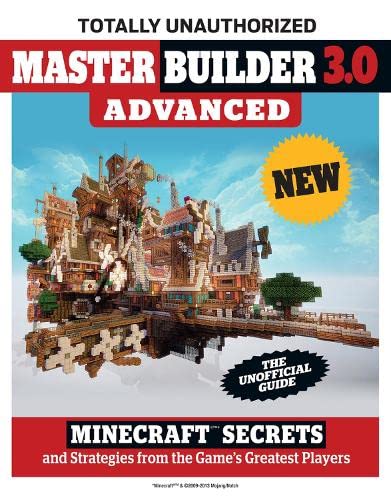
The smash hit video game Minecraft continues to grow in popularity and in gameplay, adding more features and updating existing ones to make them richer and more complex. Players who mastered the basics with Minecrafter and leveled up with Minecrafter 2.0 Advanced can now become experts with Minecrafter 3.0 Advanced. Readers can delve into the complex advanced-player worlds of Brewing, Enchanting, and Farming for items and experience and learn how to start making the Holy Grail of Minecraft creations: the megabuild, and make it look great by learning how to use visual boosters like skins, resource packs, and shaders. This book details the brand-new modes of play, such as the drama-filled Adventure maps that present a whole new set of challenges for advanced players to complete. As the game has evolved, so has the player-favorite Redstone system, and dozens if not hundreds of new mods, mini-games, servers, and builders have come into being. This gamer&;s guidebook also contains the most up-to-date information on the latest updates, including some game-changing new features, helping you achieve expert Minecrafter status.
This book is not authorized, sponsored, endorsed or licensed by Mojang AB. The trademark Minecraft is owned by Mojang AB; and other company names and/or trademarks mentioned in this book are the property of their respective companies and are used for identification purposes only.
This book is not authorized, sponsored, endorsed or licensed by Mojang AB. The trademark Minecraft is owned by Mojang AB; and other company names and/or trademarks mentioned in this book are the property of their respective companies and are used for identification purposes only.
Die Inhaltsangabe kann sich auf eine andere Ausgabe dieses Titels beziehen.
Über die Autorin bzw. den Autor
Triumph Books is a leader in quality and innovation in sports publishing and also publishes pop culture and current events books. They are based in Chicago.
Auszug. © Genehmigter Nachdruck. Alle Rechte vorbehalten.
Master Builder 3.0 Advanced
By Joe FunkTriumph Books
Copyright © 2015 Triumph Books LLC
All rights reserved.
ISBN: 978-1-62937-093-4All rights reserved.
Contents
Introduction from the Author,
Software to Boost Your Builds,
Minecraft on the Web: Sites to Enhance Your Game,
Skins, Resource Packs and Shaders: Making Your Minecraft Pretty,
Mini-Games Galore!,
A Guide to Winning Ultra HardCore, Minecraft's Best Mini-Game,
Spotlight Corner: Servers and Mods,
The Minecraft Challenge List,
All New Gallery,
Minecraft, YouTube and a New Kind of Star: An Interview with TheDiamondMinecart,
Other Building Games,
Excerpt from The Ultimate Guide to Mastering Circuit Power!: Minecraft® ™ Redstone andthe Keys to Supercharging Your Builds in Sandbox Games,
CHAPTER 1
Software To Boost Your Builds
Here's a little secret about some of the amazing Minecraft builds and images you've seen: not all of them were actually made in normal Minecraft. GASP! Shocking right? It's a little weird to hear for the first time, but software outside of Minecraft itself is actually a pretty big part of the creation of many big or complicated Minecraft projects and screenshots.
Some folks are of a mind that Minecraft projects should be built by hand, block-by-block in the regular game, and that's totally fine, but there are others out there who see Minecraft as more of a creative medium than something that they want to toil at for weeks and weeks just to get a map done, and we think that's fine, too.
When it comes down to it, we think it doesn't really matter how an awesome map gets made or a screenshot gets taken, it only matters that it's amazing and that we get to see it and/or play around in it. Most of the time when you're in a map that used special software, you'll never know that it wasn't made the regular way, and in fact the ability to edit maps far more quickly and use special tools actually allows players to create types of maps that we would never see otherwise. For images, this is even more the case, as the programs that are out there to create Minecraft screenshots from a map are far, far more powerful and create much more gorgeous images than the game could ever create on its own.
If cutting down the amount of time it takes to create a building or making the most stunning screenshots possible is something that interests you, we definitely recommend checking out one of the following programs. And remember: you only have to use them as much or as little as you want, and the end result is what's most important, not the way you did it.
Oh, and all of these are totally free!
MCEdit
mcedit.net
What it is: A very powerful, yet pretty easy to use program that edits Minecraft worlds outside of the game MCEdit is definitely the most widely-used Minecraft program besides the game itself, and many, many of the most popular maps were at least partly created using this bad boy. Essentially every block you need to place can be placed with MCEdit, but it also can do special things that you normally couldn't do, such as get a detailed map of your world quickly, place multi-block pieces down at once and use tools to "erode" the landscape in natural-looking patterns (which keeps you from having to try and do that manually, a tricky business).
The best parts about MCEdit are that your maps load and can be flown around very smoothly and with little system lag, and that it is crazy easy to use for being so powerful. Definitely worth your time for big projects.
VoxelSniper
dev.bukkit.org/bukkit-plugins/voxelsniper
kraftzone.net/wiki/VoxelSniper
thevoxelbox.com
What it is: An in-game editor and brush array that allows for editing a world at any distance and which features powerful terrain and object creation tools Created by one of Minecraft's premier servers and builder communities, The Voxel Box, VoxelSniper is the in-game answer to MCEdit. Instead of loading your world up in software outside to edit, or having to build the regular way in-game, VoxelSniper allows you to add or remove blocks as far away as you can see in the game.
All you do is select the special "arrow" tool (to add) or the "gunpowder" tool (to delete), point at where you want to add or remove a block, and click, and it will do so!
Additionally, VoxelSniper comes with an array of "brushes" that will add or remove multiple blocks in specially designed patterns. You can set a brush size, then pick between brushes like the Erosion Brush, the Tree Brush, the Ring Brush and many many more, each of which places or removes blocks to create the effects that they're named after. The patterns these brushes make are very nicely designed and made specifically for Minecraft, so they end up having a great many uses in big creative worlds.
Chunky
chunky.llbit.se
What it is: An outside of game tool that creates images of a world that are not possible to render in regular Minecraft
Compared to the last two tools, Chunky is quite a bit more complicated to use, partially because the language it uses and the concepts it deals with are more about image rendering and creation than about playing Minecraft. That being said, many of the very best Minecraft screenshots are created with Chunky, and those looking to show off what they've built will find it invaluable to their efforts.
Basically what it does is load your world outside of Minecraft in an editor that shows you a visual map from the top down, allowing you to select the chunks of the map you would like in your image. You then create a "scene," which loads from the perspective of where your character was when you saved last, or you can place the view in a specific spot. You can then move the view around a little bit and tweak a wide array of settings to create exactly the image that you want before you render and save it.
You can get pretty insanely creative with this tool, even setting things like the height of the sun, the focus of the camera, the exposure amount and more, and the images that result are often quite beautiful. They also, however, can take quite a while to both set up and to render, so it's not a tool for quick-shots, but instead for the ones you want to make perfect.
Other Tools
The tools we've listed are just the most popular and powerful of many, many available tools. A few others to check out, if these ones piqued your interest, include:
• JourneyMap (mapping)
• Tectonicus (mapping)
• AMIDST (finds dungeons and villages)
• Minecraft X-Ray (can see through maps to find items and blocks)
• Minecraft Editor (map editor)
• Terrain Control (custom biome and land creation)
• MCDungeon (makes dungeons and "treasure hunts" in already created maps)
• NovaSkin (skin editor)
• MCSkinner (skin editor)
• Minecraft Texture Studio (create your own resource packs)
• INVedit (inventory editor)
• Mineways (export your world to a 3D printer)
CHAPTER 2Minecraft On The Web:
Sites To Enhance Your Game
If you thought Minecraft's domination of your computation machine ended at the game itself, get ready to be awed at the ever-widening scope of this deceptively humble game. Minecraft has a massive online presence, with so very many websites dedicated to various aspects of the game that it feels like they're just about infinite.
Among those thousands and thousands and, yes, more thousands of sites are a few...
„Über diesen Titel“ kann sich auf eine andere Ausgabe dieses Titels beziehen.
Suchergebnisse für Master Builder 3.0 Advanced: Minecraft Secrets and...

Beispielbild für diese ISBN
Master Builder 3.0 Advanced: Minecraft®⢠Secrets and Strategies from the Game's Greatest Players
Anbieter: New Legacy Books, Annandale, NJ, USA
Verkäuferbewertung 5 von 5 Sternen

paperback. Zustand: Good. The cover shows heavy wear. Fast shipping and order satisfaction guaranteed. A portion of your purchase benefits Non-Profit Organizations, First Aid and Fire Stations! Bestandsnummer des Verkäufers 5FSZKH0002X1
Gebraucht kaufen
EUR 2,28
EUR 2,22 Versand
Versand innerhalb von USA
Versand innerhalb von USA
Anzahl: 1 verfügbar
Beispielbild für diese ISBN
Master Builder 3.0 Advanced: Minecraft®⢠Secrets and Strategies from the Game's Greatest Players
Anbieter: Greenworld Books, Arlington, TX, USA
Verkäuferbewertung 5 von 5 Sternen
Zustand: good. Fast Free Shipping â" Good condition. It may show normal signs of use, such as light writing, highlighting, or library markings, but all pages are intact and the book is fully readable. A solid, complete copy that's ready to enjoy. Bestandsnummer des Verkäufers GWV.1629370932.G
Gebraucht kaufen
EUR 4,69
Versand gratis
Versand innerhalb von USA
Versand innerhalb von USA
Anzahl: 2 verfügbar
Beispielbild für diese ISBN
Master Builder 3.0 Advanced: Minecraft®⢠Secrets and Strategies from the Game's Greatest Players
Anbieter: Greenworld Books, Arlington, TX, USA
Verkäuferbewertung 5 von 5 Sternen
Zustand: very_good. Fast Free Shipping â" Very Good condition book with a firm cover and clean pages. Shows normal use and some light wear or limited notes markings. A solid, nice copy to enjoy. Bestandsnummer des Verkäufers GWV.1629370932.VG
Gebraucht kaufen
EUR 4,69
Versand gratis
Versand innerhalb von USA
Versand innerhalb von USA
Anzahl: 4 verfügbar
Beispielbild für diese ISBN
Master Builder 3.0 Advanced: Minecraft®⢠Secrets and Strategies from the Game's Greatest Players
Verlag:
Triumph Books (edition ), 2015
ISBN 10: 1629370932
ISBN 13: 9781629370934
Gebraucht
Paperback
Anbieter: BooksRun, Philadelphia, PA, USA
Verkäuferbewertung 5 von 5 Sternen
Paperback. Zustand: Fair. The item might be beaten up but readable. May contain markings or highlighting, as well as stains, bent corners, or any other major defect, but the text is not obscured in any way. Bestandsnummer des Verkäufers 1629370932-7-1
Gebraucht kaufen
EUR 4,90
Versand gratis
Versand innerhalb von USA
Versand innerhalb von USA
Anzahl: 1 verfügbar
Beispielbild für diese ISBN
Master Builder 3.0 Advanced: Minecraft�T Secrets and Strategies from the Game's Greatest Players
Anbieter: Idaho Youth Ranch Books, Boise, ID, USA
Verkäuferbewertung 5 von 5 Sternen
Zustand: Good. A copy that has been read, but remains in clean condition. All pages are intact, and the cover is intact (including dust cover, if applicable). The spine may show signs of wear. Pages can include limited notes and highlighting, and the copy can include "From the library of" labels or limited small stickers. Book may have a remainder mark or be a price cutter. Bestandsnummer des Verkäufers B-03-03-02-0622
Gebraucht kaufen
EUR 1,54
EUR 3,56 Versand
Versand innerhalb von USA
Versand innerhalb von USA
Anzahl: 1 verfügbar
Beispielbild für diese ISBN
Master Builder 3.0 Advanced: Minecraft®⢠Secrets and Strategies from the Game's Greatest Players
Verlag:
Triumph Books (edition ), 2015
ISBN 10: 1629370932
ISBN 13: 9781629370934
Gebraucht
Paperback
Anbieter: BooksRun, Philadelphia, PA, USA
Verkäuferbewertung 5 von 5 Sternen
Paperback. Zustand: Very Good. It's a well-cared-for item that has seen limited use. The item may show minor signs of wear. All the text is legible, with all pages included. It may have slight markings and/or highlighting. Bestandsnummer des Verkäufers 1629370932-11-18
Gebraucht kaufen
EUR 5,71
Versand gratis
Versand innerhalb von USA
Versand innerhalb von USA
Anzahl: 1 verfügbar
Beispielbild für diese ISBN
Master Builder 3.0 Advanced: Minecraft®⢠Secrets and Strategies from the Game's Greatest Players
Anbieter: Duru Media, Tallahassee, FL, USA
Verkäuferbewertung 5 von 5 Sternen
paperback. Zustand: Good. Bestandsnummer des Verkäufers 01KWQACNEG96K83
Gebraucht kaufen
EUR 3,12
EUR 2,67 Versand
Versand innerhalb von USA
Versand innerhalb von USA
Anzahl: 1 verfügbar
Beispielbild für diese ISBN
Master Builder 3.0 Advanced: Minecraft®? Secrets and Strategies from the Game's Greatest Players
Anbieter: HPB Inc., Dallas, TX, USA
Verkäuferbewertung 5 von 5 Sternen
Paperback. Zustand: Very Good. Connecting readers with great books since 1972! Used books may not include companion materials, and may have some shelf wear or limited writing. We ship orders daily and Customer Service is our top priority! Bestandsnummer des Verkäufers S_477598472
Gebraucht kaufen
EUR 2,56
EUR 3,34 Versand
Versand innerhalb von USA
Versand innerhalb von USA
Anzahl: 1 verfügbar
Beispielbild für diese ISBN
Master Builder 3.0 Advanced: Minecraft®? Secrets and Strategies from the Game's Greatest Players
Anbieter: HPB-Diamond, Dallas, TX, USA
Verkäuferbewertung 5 von 5 Sternen
Paperback. Zustand: Very Good. Connecting readers with great books since 1972! Used books may not include companion materials, and may have some shelf wear or limited writing. We ship orders daily and Customer Service is our top priority! Bestandsnummer des Verkäufers S_484359351
Gebraucht kaufen
EUR 2,56
EUR 3,34 Versand
Versand innerhalb von USA
Versand innerhalb von USA
Anzahl: 1 verfügbar
Beispielbild für diese ISBN
Master Builder 3.0 Advanced: Minecraft®⢠Secrets and Strategies from the Game's Greatest Players
Anbieter: HPB-Emerald, Dallas, TX, USA
Verkäuferbewertung 5 von 5 Sternen
paperback. Zustand: Very Good. Connecting readers with great books since 1972! Used books may not include companion materials, and may have some shelf wear or limited writing. We ship orders daily and Customer Service is our top priority! Bestandsnummer des Verkäufers S_438758802
Gebraucht kaufen
EUR 2,57
EUR 3,34 Versand
Versand innerhalb von USA
Versand innerhalb von USA
Anzahl: 1 verfügbar