

Gesamtpreis (1 Artikel Artikel):
Versandziel:

ipad ridiculously simple guide von counte scott (15 Ergebnisse)
Direkt zu den wichtigsten Suchergebnissen
Suchfilter
Produktart
- Alle Product Types
- Bücher (15)
- Magazine & Zeitschriften (Keine weiteren Ergebnisse entsprechen dieser Verfeinerung)
- Comics (Keine weiteren Ergebnisse entsprechen dieser Verfeinerung)
- Noten (Keine weiteren Ergebnisse entsprechen dieser Verfeinerung)
- Kunst, Grafik & Poster (Keine weiteren Ergebnisse entsprechen dieser Verfeinerung)
- Fotografien (Keine weiteren Ergebnisse entsprechen dieser Verfeinerung)
- Karten (Keine weiteren Ergebnisse entsprechen dieser Verfeinerung)
- Manuskripte & Papierantiquitäten (Keine weiteren Ergebnisse entsprechen dieser Verfeinerung)
Zustand Mehr dazu
- Neu (3)
- Wie Neu, Sehr Gut oder Gut Bis Sehr Gut (3)
- Gut oder Befriedigend (6)
- Ausreichend oder Schlecht (Keine weiteren Ergebnisse entsprechen dieser Verfeinerung)
- Wie beschrieben (3)
Einband
- alle Einbände
- Hardcover (Keine weiteren Ergebnisse entsprechen dieser Verfeinerung)
- Softcover (15)
Weitere Eigenschaften
- Erstausgabe (Keine weiteren Ergebnisse entsprechen dieser Verfeinerung)
- Signiert (Keine weiteren Ergebnisse entsprechen dieser Verfeinerung)
- Schutzumschlag (Keine weiteren Ergebnisse entsprechen dieser Verfeinerung)
- Angebotsfoto (2)
- Keine Print-on-Demand Angebote (15)
Sprache (2)
Preis
- Beliebiger Preis
- Weniger als EUR 20
- EUR 20 bis EUR 45
- Mehr als EUR 45 (Keine weiteren Ergebnisse entsprechen dieser Verfeinerung)
Gratisversand
Land des Verkäufers
Verkäuferbewertung
-
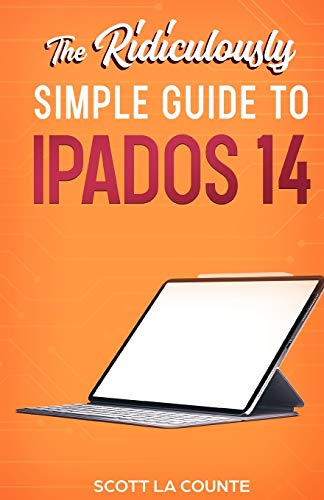
The Ridiculously Simple Guide to iPadOS 14: Getting Started With iPadOS 14 For iPad, iPad Mini, iPad Air, and iPad Pro
Anbieter: Bookmonger.Ltd, HILLSIDE, NJ, USA
Verkäuferbewertung 5 von 5 Sternen

paperback. Zustand: Good. Crease on cover and a few pages*.
-

Your First iPad For Seniors: The Ridiculously Simple Guide to iPad 10.2 and Other iPads Running iPadOS 13
Anbieter: Bahamut Media, Reading, Vereinigtes Königreich
Verkäuferbewertung 5 von 5 Sternen
EUR 3,44
EUR 8,06 Versand
Versand von Vereinigtes Königreich nach USAAnzahl: 1 verfügbar
In den WarenkorbPaperback. Zustand: Very Good. Shipped within 24 hours from our UK warehouse. Clean, undamaged book with no damage to pages and minimal wear to the cover. Spine still tight, in very good condition. Remember if you are not happy, you are covered by our 100% money back guarantee.
-
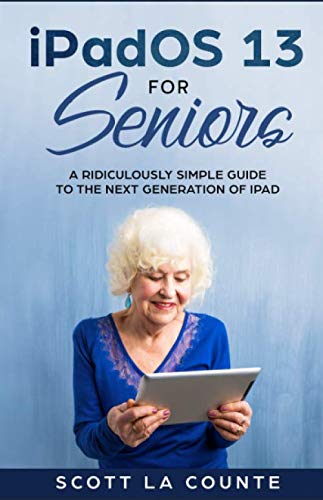
iPadOS For Seniors: A Ridiculously Simple Guide to the Next Generation of iPad (Tech for Seniors)
Buch 6 von 6: Tech for SeniorsAnbieter: ThriftBooks-Dallas, Dallas, TX, USA
Verkäuferbewertung 5 von 5 Sternen
Paperback. Zustand: Good. No Jacket. Pages can have notes/highlighting. Spine may show signs of wear. ~ ThriftBooks: Read More, Spend Less.
-

iPad Air (2020 Model) For Seniors: A Ridiculously Simple Guide to the Latest Generation iPad Air
Anbieter: WeBuyBooks, Rossendale, LANCS, Vereinigtes Königreich
Verkäuferbewertung 5 von 5 Sternen
EUR 7,82
EUR 8,31 Versand
Versand von Vereinigtes Königreich nach USAAnzahl: 1 verfügbar
In den WarenkorbZustand: Very Good. Most items will be dispatched the same or the next working day. A copy that has been read, but is in excellent condition. Pages are intact and not marred by notes or highlighting. The spine remains undamaged.
-

iPad Air (2020 Model) For Seniors: A Ridiculously Simple Guide to the Latest Generation iPad Air
Anbieter: WorldofBooks, Goring-By-Sea, WS, Vereinigtes Königreich
Verkäuferbewertung 5 von 5 Sternen
EUR 4,78
EUR 6,70 Versand
Versand von Vereinigtes Königreich nach USAAnzahl: 2 verfügbar
In den WarenkorbPaperback. Zustand: Very Good. The book has been read, but is in excellent condition. Pages are intact and not marred by notes or highlighting. The spine remains undamaged.
-

iPad OS 13: The Ridiculously Simple Guide to iPadOS 13 for iPad, iPad Mini, and iPad Pro
Anbieter: Revaluation Books, Exeter, Vereinigtes Königreich
Verkäuferbewertung 5 von 5 Sternen
EUR 23,72
EUR 11,54 Versand
Versand von Vereinigtes Königreich nach USAAnzahl: 1 verfügbar
In den WarenkorbPaperback. Zustand: Brand New. 220 pages. 8.50x5.50x0.55 inches. In Stock.
-
iPadOS For Seniors: A Ridiculously Simple Guide to the Next Generation of iPad (Tech for Seniors)
Buch 6 von 6: Tech for SeniorsAnbieter: Revaluation Books, Exeter, Vereinigtes Königreich
Verkäuferbewertung 5 von 5 Sternen
EUR 23,72
EUR 11,54 Versand
Versand von Vereinigtes Königreich nach USAAnzahl: 1 verfügbar
In den WarenkorbPaperback. Zustand: Brand New. 236 pages. 8.50x5.50x0.59 inches. In Stock.
-

Your First iPad For Seniors: The Ridiculously Simple Guide to iPad 10.2 and Other iPads Running iPadOS 13
Anbieter: Revaluation Books, Exeter, Vereinigtes Königreich
Verkäuferbewertung 5 von 5 Sternen
EUR 26,20
EUR 11,54 Versand
Versand von Vereinigtes Königreich nach USAAnzahl: 1 verfügbar
In den WarenkorbPaperback. Zustand: Brand New. 208 pages. 8.50x5.50x0.52 inches. In Stock.
-

iPad Air (2020 Model) For Seniors: A Ridiculously Simple Guide to the Latest Generation iPad Air
Anbieter: Big River Books, Powder Springs, GA, USA
Verkäuferbewertung 5 von 5 Sternen
Zustand: good. This book is in good condition. The cover has minor creases or bends. The binding is tight and pages are intact. Some pages may have writing or highlighting.
-

Zustand: Sehr gut. Zustand: Sehr gut | Sprache: Englisch | Produktart: Bücher | iPadOS can help you be more productive than ever.if you know how to use it! The iPad has been around for several years, but that doesn't make it any easier to use. It doesn't help that every year there are changes and features added to it. This book walks you through what you need to know step-by-step--including how navigation works now that the Home button is gone on some of the iPad Pros. It covers only what you need to know--so you don't have to comb through hundreds of pages of tech-speak just to find out how to do a common feature. Some of the many topics covered include:What's new in iPadOS 13 Cosmetics of an iPad Multitasking Gestures that you should know Using Sidecar Using split screen Buying, updating, and removing apps Apple Services (Apple Music, iCloud, Apple Arcade, Apple TV+, Apple Card) Family sharing Using Siri Taking, editing, organizing and sharing photos Using pre-installed apps like Reminders, Maps, Notes, Calendar And much, much more! This book is based on the book "iPadOS 13" but includes sections specifically for seniors (includ-ing accessibility features that make text easier to see). Are you ready to start enjoying your new iPad Pro? Then let's get started!
-
Zustand: Hervorragend. Zustand: Hervorragend | Sprache: Englisch | Produktart: Bücher | iPadOS can help you be more productive than ever.if you know how to use it! The iPad has been around for several years, but that doesn't make it any easier to use. It doesn't help that every year there are changes and features added to it. This book walks you through what you need to know step-by-step--including how navigation works now that the Home button is gone on some of the iPad Pros. It covers only what you need to know--so you don't have to comb through hundreds of pages of tech-speak just to find out how to do a common feature. Some of the many topics covered include:What's new in iPadOS 13 Cosmetics of an iPad Multitasking Gestures that you should know Using Sidecar Using split screen Buying, updating, and removing apps Apple Services (Apple Music, iCloud, Apple Arcade, Apple TV+, Apple Card) Family sharing Using Siri Taking, editing, organizing and sharing photos Using pre-installed apps like Reminders, Maps, Notes, Calendar And much, much more! This book is based on the book "iPadOS 13" but includes sections specifically for seniors (includ-ing accessibility features that make text easier to see). Are you ready to start enjoying your new iPad Pro? Then let's get started!
-
Zustand: Hervorragend. Zustand: Hervorragend | Sprache: Englisch | Produktart: Bücher | ¿¿¿ iPadOS 14 is here.now how do you use it?! ¿¿¿ Each Fall, a new iPadOS comes to iPads everywhere and it is packed with features! This year is no different. Widgets, Messages redefined, a Scribble tool for Apple Pencil, a more powerful Safari browser, and App Clips are just a few of the many features introduced this year! This guide is formatted in a way to help you use your iPad (and all its powerful features) as quickly as possible. Some of the many topics covered include:What's new in iPadOS 14 Cosmetics of an iPad Multitasking Gestures that you should know How to use picture-in-picture mode Adding widgets to the Home screen Making phone calls Sending messages Using the Apple Pencil (and Scribble) Surfing the Internet with Safari Using Sidecar Using split screen Buying, updating, and removing apps Apple Services (Apple Music, iCloud, Apple Arcade, Apple TV+, Apple Card) Family sharing Using Siri Taking, editing, organizing and sharing photos Using pre-installed apps like Reminders, Maps, Notes, Calendar And much, much more! Are you ready to start enjoying your new iPad? Then let's get started! Note: This guide is not endorsed by Apple, Inc., and should be considered unofficial. It is based on the iPad without a Home button (i.e. the iPad Pro and iPad Air).
-

Zustand: Sehr gut. Zustand: Sehr gut | Sprache: Englisch | Produktart: Bücher | ¿¿¿ Welcome to iPad Air! ¿¿¿ ¿ The newest iPad Air is one of the most powerful tablets on the market. It's ideal for gaming, photography, and video editing. Ideal, that is, if you can use it. If you are a new user or an older user that's hoping to understand it better, then this guide is going to help you out. Some of the many topics covered include:What's new in iPadOS 14 Cosmetics of an iPad Multitasking Gestures that you should know How to use Picture in Picture mode Adding widgets to the Home screen Making phone calls Sending messages Using the Apple Pencil (and Scribble) Surfing the Internet with Safari Using Sidecar Using split screen Buying, updating, and removing apps Apple Services (Apple Music, iCloud, Apple Arcade, Apple TV+, Apple Card) Family sharing Using Siri Taking, editing, organizing and sharing photos Using pre-installed apps like Reminders, Maps, Notes, Calendar And much, much more! Are you ready to start enjoying your new iPad? Then let's get started! Note: This guide is not endorsed by Apple, Inc., and should be considered unofficial. It is based on the iPad without a Home button (i.e. the iPad Pro and iPad Air).
-

Zustand: Sehr gut. Zustand: Sehr gut | Sprache: Englisch | Produktart: Bücher | iOS is dead! At least on the iPad. While the op-erating system obviously lives on in iPhones, 2019 is a big year for the iPad because Apple has released an update so big that it has a new name: iPadOS. The name change isn't just a clever marketing tactic. It implies that iPads are more than just wimpy gadgets-they are computer power-horses that can run heavy apps and do the same kind of work you would do on a laptop or desktop. All that power means that you can run more than one app at once, so it should not be any sur-prise that most of the biggest updates to the OS center around multitasking (i.e. running more than one app) and helping you be more productive. This book is based off of iPad Pro models (the ones without a Home button); that doesn't mean it's not useful if your iPad has a Home button, but some features will work slightly differently. Ready to get started? Let's go! NOTE: This guide is not endorsed by Apple, Inc and should be considered unofficial.
-
Zustand: Hervorragend. Zustand: Hervorragend | Sprache: Englisch | Produktart: Bücher | iOS is dead! At least on the iPad. While the op-erating system obviously lives on in iPhones, 2019 is a big year for the iPad because Apple has released an update so big that it has a new name: iPadOS. The name change isn't just a clever marketing tactic. It implies that iPads are more than just wimpy gadgets-they are computer power-horses that can run heavy apps and do the same kind of work you would do on a laptop or desktop. All that power means that you can run more than one app at once, so it should not be any sur-prise that most of the biggest updates to the OS center around multitasking (i.e. running more than one app) and helping you be more productive. This book is based off of iPad Pro models (the ones without a Home button); that doesn't mean it's not useful if your iPad has a Home button, but some features will work slightly differently. Ready to get started? Let's go! NOTE: This guide is not endorsed by Apple, Inc and should be considered unofficial.

